
What Is Search Engine Indexing? Complete Beginner Guide

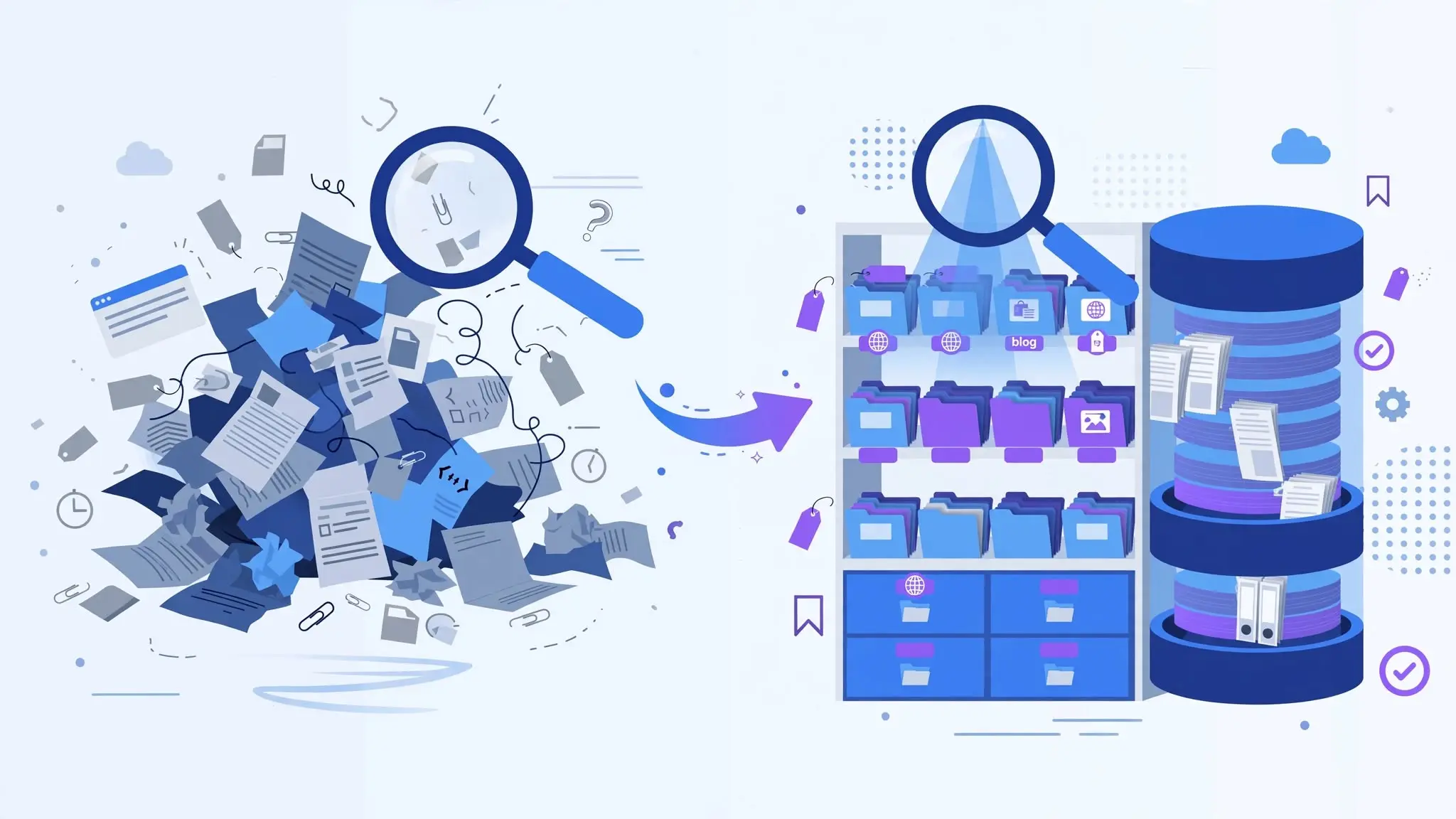
You just published a new blog post. You hit publish, share it on social media, maybe even do a little happy dance. Then you Google your article title the next day and nothing. Your page is nowhere to be found.
What’s going on?
Nine times out of ten, the answer is indexing. Or rather, the lack of it.
Search engine indexing is one of those things that most beginners skip right past. It sounds technical, maybe a little boring, and people just assume it happens automatically. Sometimes it does. But when it doesn’t and it doesn’t for more reasons than you’d think you’re essentially invisible online, no matter how good your content is.
This guide breaks down exactly what search engine indexing is, how it works under the hood, and what you can actually do to make sure your pages get indexed and stay indexed.
What Is Search Engine Indexing?
Let’s start with the simplest possible explanation.
When Google (or any other search engine) wants to show you results for a search query, it doesn’t go out and browse the web in real time. That would take forever. Instead, it works from a massive pre-built database, a giant list of pages it already knows about, has already read, and has already stored information about.
That database is called the search engine index.
Search engine indexing is the process of getting your page into that database. When a search engine “indexes” your page, it means it has visited your page, read the content, understood what it’s about, and saved a record of it.
No index entry = no search results. It’s that simple.
Think of it like a library. The library has millions of books, but only the books that have been catalogued can be found through the library system. If a book arrives at the library but nobody logs it into the catalogue, it just sits in a back room somewhere. Technically it exists but for all practical purposes, nobody will ever find it.
Your web pages work the same way. They need to be catalogued before anyone can discover them through search.
Crawling vs. Indexing - What's the Difference?
These two words get mixed up constantly, even by people who’ve been doing SEO for years. They are related but they are not the same thing.
Crawling is when a search engine bot (often called a “spider” or “crawler”) visits your page. It’s basically the bot taking a look around, following links, and discovering what content exists.
Indexing is what happens after that. It’s when the search engine decides your page is worth storing, processes the content, and actually adds it to the index.
Here’s the thing a lot of people don’t realize: a page can be crawled without being indexed. Google’s bot might visit your page, look at it, and decide it’s not worth adding to the database. Maybe the content is too thin, maybe it’s a duplicate of another page, maybe there’s a technical signal telling Google to back off. Whatever the reason crawled does not mean indexed.
So when someone tells you “Google has already visited my site, so it should be showing up,” that’s not necessarily true. The visit is just step one.
How Does Search Engine Indexing Actually Work?
Here’s a rough picture of what happens from the moment your page goes live to the moment (hopefully) it shows up in search results.
- Discovery
- Crawling
- Processing & Rendering
- The Indexing Decision
- Ranking
Step 1: Discovery
Google needs to find your page before it can do anything with it. It discovers pages mainly through two routes:
- Links from other pages
If another page that Google already knows about links to yours, the crawler will follow that link and find you.
- Sitemaps
An XML sitemap is basically a list you hand over to Google saying “here are all my pages, please come check them out.”
New websites with no backlinks and no sitemap submitted can sit undiscovered for a long time. This is one of the first practical things you should fix.
Step 2: Crawling
Once Google finds your URL, it sends a bot called Googlebot to visit it. Googlebot downloads the content of the page text, images, internal links, and more.
The speed at which Google crawls your site is influenced by what’s called the crawl budget. Every website gets a certain amount of crawling attention from Google based on how authoritative and healthy the site appears to be. A brand new blog with 10 pages gets a much smaller crawl budget than a major news site publishing 200 articles a day. This is why crawl efficiency matters for larger sites.
Step 3: Processing and Rendering
After downloading your page, Google doesn’t just look at raw text. Modern websites use a lot of JavaScript to dynamically load content. Google has to render the page essentially run it the way a browser would to see what a real user would actually see.
This rendering step can introduce delays. Google has said that JavaScript content can sometimes take days or weeks longer to get indexed compared to plain HTML content. For pages built heavily on JavaScript frameworks like React or Angular, this is something worth keeping in mind.
Step 4: The Indexing Decision
Now Google evaluates whether your page is worth adding to the index. This isn’t a rubber-stamp process. Google considers:
- Is the content original and useful, or is it duplicate/thin content?
- Is the quality good enough to be worth showing to users?
- Are there any signals telling Google NOT to index this page (like a noindex tag)?
- Does the page have a clear canonical URL?
Pages that pass this check get added to the index. Pages that don’t get skipped.
Step 5: Ranking (a Separate Topic)
Once indexed, a page then competes for rankings on relevant search queries. This is a whole other process involving hundreds of ranking signals. Indexing just gets you in the room. Ranking is how you get to the front.
What Is the Google Index, Exactly?
The Google index is an enormous database. We’re talking about hundreds of billions of web pages that store information about every page Google has decided is worth keeping.
It doesn’t store a full copy of every page. It stores processed information: what the page is about, what keywords appear on it, what other pages link to it, what language it’s in, who seems to be the target audience, and a lot more.
When you type a search query, Google doesn’t browse the internet. It looks through this pre-built index and finds the pages that best match what you searched for. That’s how it returns results in under a second.
The Inverted Index - How Google Searches So Fast
Here’s a quick peek at the technical magic behind fast search results.
A traditional index organizes data by document: “Page A contains words X, Y, Z.” But that would be painfully slow for search. You’d have to check every document to find which ones contain a given word.
An inverted index flips this around. Instead of listing what words are in each document, it lists for each word which documents contain it.
So instead of: “Page A has the word ‘indexing'”
It becomes: “The word ‘indexing’ appears in pages A, B, D, F, and 43,000 others”
When you search “what is indexing,” Google just looks up those words in this inverted index, cross-references them, and pulls up the most relevant matches almost instantly. No reading through billions of pages in real time. Just one very fast lookup in a very well-organized database.
Why Does Indexing Matter for SEO?
If your page isn’t in the index, it literally cannot rank. Full stop.
You can write the best article on earth. You can build links to it, optimize the title tag, nail the meta description. None of it matters even a little bit if the page isn’t indexed. It’s invisible to every person who searches for something you cover.
This is why indexing is the foundation of everything in SEO. Before you worry about rankings, check that your pages are actually indexed. Before you wonder why your traffic is low, check whether Google can even see your content.
It’s a step a lot of beginners (and honestly some intermediate SEOs) forget to verify.
How to Get Your Pages Indexed Faster
Google will eventually crawl and index most pages on its own. But “eventually” can mean days, weeks, or sometimes longer for brand-new sites. If you want to speed things up and you do here’s what actually works.
1
Submit an XML Sitemap
An XML sitemap is a file that lists all the important URLs on your site. It’s your way of telling Google: “These are the pages that exist. Please visit them.”
Submit your sitemap through Google Search Console:
- Go to Search Console and select your property
- Click on Sitemaps in the left menu
- Enter your sitemap URL (usually yoursite.com/sitemap.xml) and hit Submit
If you’re using WordPress, plugins like Yoast SEO or Rank Math automatically generate and maintain your sitemap. For other platforms, you may need to create one manually or use a dedicated sitemap generator tool.
A sitemap doesn’t guarantee indexing nothing does but it gives Google a clear map of what you want it to look at, and it definitely speeds up discovery.
2
Use the URL Inspection Tool in Google Search Console
If you have a specific page you want indexed right now, this is your most direct option.
In Google Search Console, paste the URL into the search bar at the top. If the page isn’t indexed, you’ll see a message telling you so. From there, click Request Indexing and Google will queue it for crawling.
This is especially useful for:
New pages you just published
Pages you recently updated with significant changes
Pages where you fixed a technical issue that was blocking indexing
Note: this is best for individual URLs, not bulk submission. For large batches, the sitemap route is better.
3
Build Internal Links
Internal links are one of the most underrated tools for getting pages indexed. When Googlebot lands on a page it already knows about and follows an internal link to a new page, that new page gets discovered and eventually crawled.
If you publish a new post and it has zero internal links pointing to it from anywhere else on your site, Googlebot might never find it even if it’s in your sitemap. So whenever you publish something new, go back to relevant older posts and link to it.
Beyond discovery, a healthy internal linking structure helps distribute PageRank (Google’s measure of link authority) throughout your site, which can strengthen the ranking potential of all your pages.
4
Get Backlinks From Other Sites
When reputable external sites link to your page, search engines notice. Backlinks are not just a ranking factor, they’re also one of the fastest ways to get a new page indexed.
If someone with a well-established website links to your brand new article, Google’s bots are likely to follow that link and crawl your page pretty quickly. John Mueller from Google has said backlinks are one of the most effective ways to get content indexed.
You don’t need dozens of links for this to work. Even one or two relevant backlinks from real websites can trigger indexing much faster than waiting for Google to find the page on its own.
5
Make Sure Googlebot Isn't Blocked
Before worrying about why a page isn’t indexed, check that you haven’t accidentally blocked it. This happens more often than you’d think, especially after website migrations or plugin changes.
Check two things:
Your robots.txt file
This file lives at yoursite.com/robots.txt and tells search engines which parts of the site they’re allowed to crawl. If a rule in robots.txt is blocking Googlebot from your important pages, those pages won’t be indexed.
The noindex meta tag
If a page has <meta name=”robots” content=”noindex”> in the HTML, Google will crawl it but not add it to the index. This tag is intentionally placed on things like thank-you pages, private login pages, or staging sites — but it can accidentally end up on public pages too.
How to Check If Your Pages Are Indexed
Before you try to fix anything, you need to know what the actual situation is. Here are three simple ways to check indexing status.
The site: Search Operator
Go to Google and type:vsite:yourdomain.com
Google will show you results from your domain that are currently in its index. It’s not always complete, very large sites won’t see every URL but it gives you a quick snapshot.
You can also check a specific URL:site:yourdomain.com/your-specific-page
If the page shows up, it’s indexed. If nothing comes back, it’s either not indexed or Google just isn’t showing it in this particular query (in which case, confirm with the Search Console method below).
Google Search Console — Pages Report
This is the most thorough method. In Google Search Console, go to Indexing > Pages.
You’ll see two main categories:
- Indexed pages — Google has these in its index
- Not indexed pages — and crucially, the reason why
The “not indexed” section is where the real gold is. Google tells you specifically why each group of pages isn’t indexed. Common reasons include:
- Crawled — currently not indexed (Google visited but decided not to add it)
- Discovered — currently not indexed (Google found the URL but hasn’t visited it yet)
- Page with redirect (the URL redirects somewhere else)
- Excluded by noindex tag (the page has a noindex directive)
- Duplicate without canonical (Google considers it a copy of another page)
Each one tells you something different and points to a different fix.
URL Inspection Tool
For individual URLs, the URL Inspection tool in Google Search Console gives you the most detailed information. Paste in a URL and you’ll see:
- Whether it’s indexed
- When Google last crawled it
- What the canonical URL is (according to Google)
- Whether there are any coverage issues
If you’re troubleshooting a specific page that should be indexed but isn’t, this is always the first place to look.
What Can Prevent a Page from Getting Indexed?
Let’s go through the most common reasons pages don’t make it into the index because knowing these saves a lot of head-scratching later.
- Noindex directive
As mentioned above, if the page has a noindex tag, Google won’t index it. Double-check this, especially on new sites built with WordPress or other CMS platforms where this setting can get flipped accidentally during development.
- Canonicalization issues
If you have the same content accessible from multiple URLs (for example, yourdomain.com/page and yourdomain.com/page?ref=homepage), Google will try to pick one as the “canonical” version and index only that one. If the canonical signals on your site are messy or contradictory, this process can go wrong.
- Thin or duplicate content
Google has limited storage and processing resources, and it’s not going to waste them on content that doesn’t add value. Pages with very little content, or pages that are near-identical to other pages on your site, often get skipped.
- Soft 404 Errors
A soft 404 is when a page returns a 200 OK status code (meaning “page found”) but the actual content tells the user something like “page not found” or “no results.” Google treats these as low-quality pages and often won’t index them.
- Crawl budget exhaustion
For large sites, if there are too many low-quality or duplicate URLs being crawled (think infinite filter combinations on an e-commerce site), Google might spend all its crawl budget on junk and never get around to crawling your important content.
- No links pointing to the page
If a page is completely isolated with no internal links from other pages, not in the sitemap Google may never find it, or find it so rarely that indexing is delayed indefinitely. These are called orphan pages and they’re more common than you’d think.
Blocked by robots.txt. If robots.txt disallows Googlebot from visiting the page, it can’t be crawled and therefore can’t be indexed.
Pages You Might NOT Want Indexed
Not everything on your site deserves a spot in Google’s index. In fact, having too many low-quality URLs indexed can actually hurt your site’s overall performance in search. Google looks at the quality of your site as a whole, and a high ratio of thin or unhelpful pages can drag down your stronger content.
Pages you typically want to block from indexing:
- Admin and login pages (wp-admin, wp-login.php, etc.)
- Thank-you pages after form submissions or purchases
- Staging or development versions of your site
- Filtered/sorted versions of the same page (e.g., products sorted by price, color, etc.)
- User profile pages or pages generated automatically with minimal unique content
- Search results pages on your own site
You have a few tools to do this:
The noindex meta tag – Add <meta name=”robots” content=”noindex”> to the <head> of any page you don’t want indexed. Google will visit the page but not add it to the index.
The X-Robots-Tag – For non-HTML files (like PDFs), you can’t add a meta tag. Instead, you send a X-Robots-Tag: noindex directive in the HTTP response header.
Canonical tags – If you have duplicate or very similar pages, use canonical tags to tell Google which version is the “official” one. This doesn’t prevent crawling, but it prevents multiple duplicate versions from competing with each other (or diluting your authority).
Password protection – For pages that should only be seen by logged-in users or administrators, putting them behind a password is a clean solution. Googlebot can’t get past a login wall, so those pages simply won’t be indexed.
JavaScript and Indexing - A Note Worth Reading
If your website relies heavily on JavaScript to display content and a lot of modern sites do, there’s something you should know.
Google can process JavaScript, but it’s a slow and resource-intensive process. Googlebot has to first download your page, then essentially “run” it like a browser would to see the final rendered content. This is called JavaScript rendering.
The practical effect is that JS-rendered content tends to get indexed later than plain HTML content. Google has published data showing that while a lot of JS-rendered content does eventually get indexed, there can be a meaningful delay compared to static HTML pages.
For most blogs and content sites, this isn’t a critical issue. But if you’re building on a JavaScript framework (React, Vue, Angular, Next.js, etc.) and you care about how fast your content gets indexed, it’s worth looking into server-side rendering (SSR) or static site generation (SSG). Both of these approaches deliver pre-rendered HTML to Googlebot instead of making it do all the rendering work on its own.
A Quick Practical Checklist
If you want to make sure your site’s indexing is in good shape, work through this list:
- [ ] Submit your XML sitemap in Google Search Console
- [ ] Check your robots.txt file – make sure important pages aren’t blocked
- [ ] Check all important pages for accidental noindex tags
- [ ] Review the Pages report in Search Console for any “not indexed” issues
- [ ] Add internal links to any new pages you publish
- [ ] Identify and deal with any orphan pages
- [ ] Make sure you don’t have excessive duplicate or thin-content URLs being crawled
- [ ] For any specific page you need indexed now, use the URL Inspection tool to request indexing
Wrapping Up
Search engine indexing isn’t the most glamorous part of SEO. You won’t see it on lists of “quick wins” or “hacks to boost traffic overnight.” But it is absolutely the bedrock that everything else sits on.
If your pages aren’t in the Google index, nothing else matters. Your keywords, your backlinks, your perfectly crafted meta descriptions they all need indexing to exist to do their job.
The good news is that once you understand how indexing works, it’s not particularly hard to manage. Submit your sitemap, keep your site technically clean, build internal links, earn a few backlinks, and check your Search Console regularly. Do those things consistently, and indexing becomes one less thing to worry about.
Get that right, and then you can focus on the fun stuff like actually ranking.