
How Search Engines Work? Crawling, Indexing, and Ranking Explained

Type “best running shoes” into Google and before you’ve even finished blinking, you’ve got millions of results sitting in front of you. No waiting. No spinning wheel of death. Just answers.
It’s easy to take that for granted. I know I did, for years. I used to think of Google as this all-knowing brain that just knew everything on the internet in real time. Like it was watching every website live, the way a security guard watches a row of monitors.
That’s not even close to how it works.
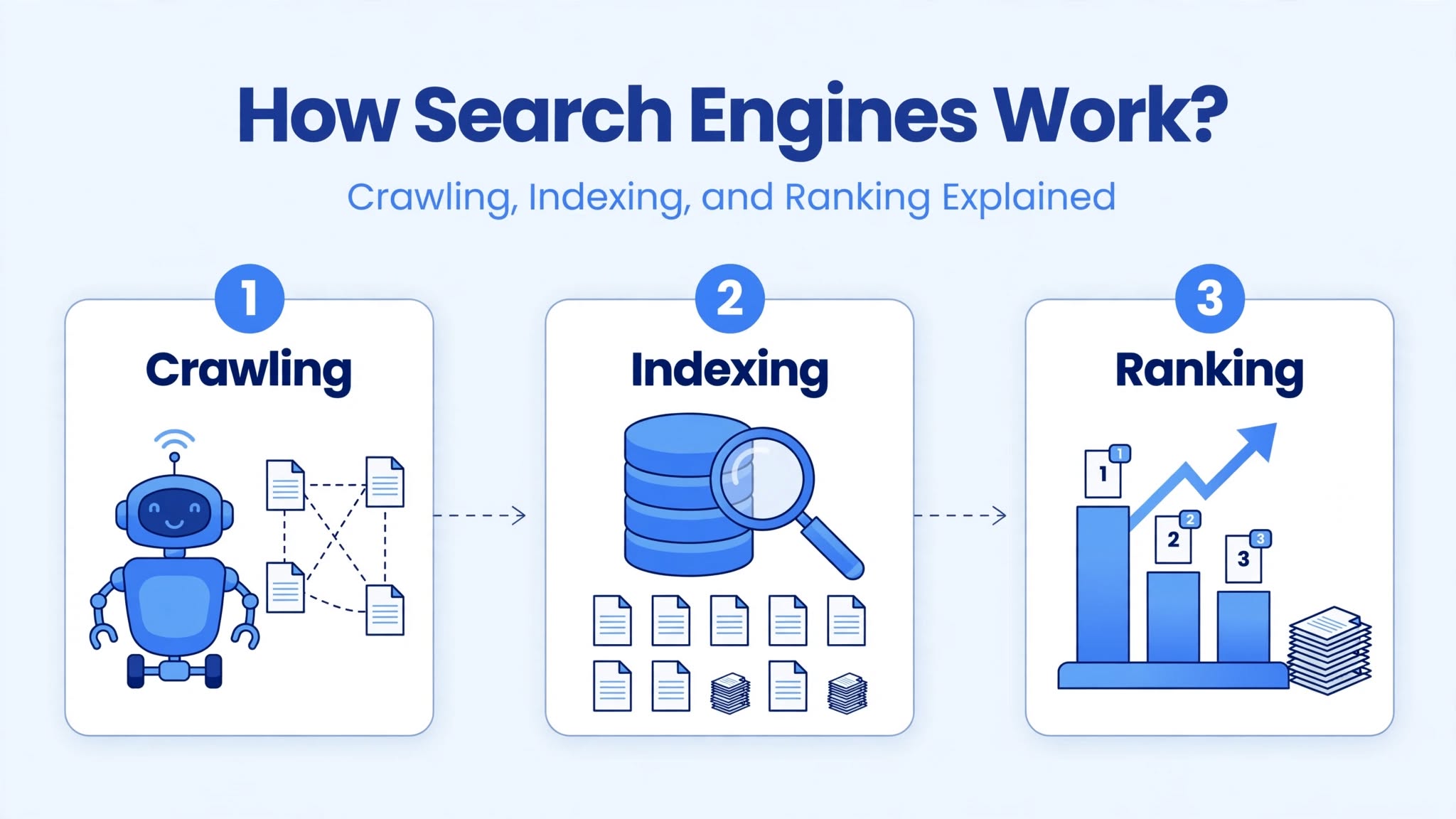
What’s actually happening behind that search box is a three-step process that’s been running quietly for decades, getting smarter every year: crawling, indexing, and ranking. Once you get how these three pieces fit together, a lot of confusing SEO advice you’ve probably read suddenly clicks into place. You stop guessing and start understanding why certain things help your site and others don’t.
So let’s open up the hood and actually look at the engine.
The Three-Stage Journey Every Web Page Takes
Before any page can show up in a search result, it has to survive three separate stages, in this exact order:
- Crawling – getting discovered
- Indexing – getting stored and understood
- Ranking – getting positioned against everyone else asking for the same spotlight
Skip a stage and you’re stuck. A page that isn’t crawled can’t be indexed. A page that isn’t indexed can never rank, no matter how good it is. I’ve seen business owners write the most beautiful, helpful article on their site and then panic two weeks later asking why “Google isn’t showing it.” Nine times out of ten, the page was never indexed in the first place. The content quality didn’t matter yet, because the page hadn’t even cleared the first two hurdles.
Stage One: Crawling - How Search Engines Find Your Page
Crawling is the discovery phase. Search engines use automated programs, usually called crawlers, spiders, or bots, to travel across the web and find content. Google’s version is named Googlebot. Bing has Bingbot. Increasingly, you’ll also run into crawlers from AI companies, like GPTBot from OpenAI or ClaudeBot from Anthropic, doing something similar but for different purposes.
Picture a crawler less like a librarian and more like someone wandering through a city, jotting down every address they pass and every street sign pointing somewhere new. They walk into a page, read it, then follow every link on that page to the next one. Then they do it again. And again. Forever.
How a Crawler Actually Finds Your Pages
There are basically four doors a crawler can walk through to reach your content:
Following links from pages it already knows about.
If Googlebot has already crawled a page on your site, and that page links to another page, the crawler will likely follow that link and discover the new page too.
Following a link from someone else's website.
This is huge for new sites with zero history. If a website Google already trusts links over to yours, that link acts like a doorway. Suddenly your previously invisible site has a path leading into it.
Reading your XML sitemap.
A sitemap is basically a list of “here are my important pages, please come look at these” that you hand directly to search engines through tools like Google Search Console. It doesn’t force a crawl, but it makes the invitation a lot clearer.
Manual submission.
You can literally tell Google “hey, I just published this page, please come check it out” through Search Console’s URL inspection tool. It’s not a guarantee of fast crawling, but it nudges things along.
What Crawlers Actually Pay Attention To
Here’s something a lot of beginners get wrong: crawlers don’t “see” your website the way you do. You see colors, photos, a nice layout, maybe a slick animation on scroll. A crawler mostly cares about:
- The raw HTML and text content
- Links (both pointing out to other sites and pointing within your own site)
- Metadata like title tags and meta descriptions
- Structured data (schema markup)
- Whether the page loads at all, and how fast
This is why a gorgeous, heavily designed website can sometimes perform terribly in search. If your site relies on JavaScript to load the actual text content, and the crawler can’t render that JavaScript properly (Google can render a lot of JS these days, but it’s resource-intensive and not instant, and other crawlers are far behind), the bot might see a mostly blank page even though a human visitor sees something beautiful.
I once worked with a site built almost entirely in a JavaScript framework with no server-side rendering. The homepage looked fantastic to humans. To Googlebot? Practically empty. It took months of fixing before that homepage even got properly indexed. Lesson learned the hard way: pretty doesn’t mean crawlable.
Crawl Budget: A Concept Most Beginners Have Never Heard Of
Here’s something that doesn’t get mentioned nearly enough in beginner guides: Google doesn’t have infinite time to spend crawling your site. Every website gets something close to an allowance, often called crawl budget. It’s a mix of how often Google is willing to crawl you (crawl rate) and how many pages it actually wants to bother crawling (crawl demand).
For a small blog with 40 pages, this barely matters. Google can crawl your entire site in an afternoon without breaking a sweat. But for huge sites with hundreds of thousands of URLs, especially ecommerce stores with endless filtered category pages, crawl budget becomes a real fight. If your crawl budget gets wasted on junk pages (duplicate filter combinations, infinite calendar pages, broken redirect chains), your genuinely important pages might get crawled less often, or not at all.
What Stops a Crawler in Its Tracks
A few common roadblocks:
- Robots.txt restrictions. This file sits at the root of your domain and tells crawlers which sections they’re allowed to touch. Block the wrong folder by accident and you can hide your entire site without realizing it. This happens more often than you’d think, especially right after a site migration.
- Broken links and dead ends. If a crawler follows a link and hits a 404 or a server error, that’s a dead end. Too many of these and the crawler starts trusting your site structure less.
- Orphan pages. A page with no internal links pointing to it is like a house with no road leading to it. Even if it’s listed in your sitemap, it’s a weak signal. Real internal linking from related pages matters far more than people give it credit for.
- Slow server response times. If your server takes forever to respond, crawlers will back off and crawl less frequently to avoid hammering a struggling site.
Stage Two: Indexing - Getting Stored and Understood
Okay, so a crawler found your page. Great. That alone gets you nothing.
Indexing is the next gate, and it’s the one most beginners completely misunderstand. This is where Google decides: “Do I actually want to keep this page in my database, the place I pull search results from?”
Think of the index as an enormous, constantly updated database, not a list of website addresses, but a deep catalog of content, meaning, and context. When Google indexes your page, it’s not just bookmarking the URL. It’s trying to understand what the page is about, who it’s for, and where it fits relative to millions of other pages covering similar ground.
What Actually Gets Stored
When a page gets indexed, Google captures things like:
- The text content itself
- Headings and how the content is structured
- Images and their alt text
- Internal and external links on the page
- Structured data, if present
- Page metadata (title, meta description)
- Signals about page experience (loading speed, mobile usability)
Why Plenty of Pages Never Make It
Not every crawled page earns a spot in the index. This trips people up constantly. Common reasons a page gets left out:
Duplicate or near-duplicate content. If you’ve got 5 product pages that are basically the same paragraph with one word swapped, Google often picks one “canonical” version and quietly ignores the rest. This happens a lot with ecommerce filters, printer-friendly page versions, and URL parameters that create technically different URLs with identical content.
Low perceived value relative to what already exists. This one’s less talked about but very real. If your page covers something that’s already been covered extremely well by dozens of other sites, and offers nothing new, Google sometimes simply doesn’t bother indexing it. Why store a copy of something it already has plenty of?
Technical errors. Different types of Server errors, redirect loops, technical glitches in the website, connectivity or hosting issues or pages that return the wrong HTTP status code can all quietly prevent indexing.
A noindex tag. Sometimes this is intentional (you don’t want your internal “thank you for ordering” page showing up in search). Sometimes it’s a mistake left over from a development site that got pushed live with the noindex tag still attached. I’ve seen entire sites stay invisible for months because of one leftover line of code from staging.
A Quick Reality Check on Indexing Speed. People ask constantly: How long until my page is indexed? There’s no fixed answer. I’ve seen pages get indexed within hours on well-established, frequently crawled sites. I’ve also seen brand-new sites with little authority wait two or three weeks for the same thing.
Thin content. A 150-word page that says almost nothing of substance often gets skipped. It’s not about hitting a magic word count. It’s about whether the page actually gives a searcher something worth their time.
Stage Three: Ranking - The Real Competition Begins
This is the part everyone actually cares about, understandably, because it’s the part that affects whether anyone ever sees your page.
Once a page is indexed, it becomes eligible to show up for relevant searches. But “eligible” and “actually shown” are two very different things. For any given search, there could be thousands of indexed pages that technically qualify. Ranking is the process of sorting through all of them and deciding the order.
Nobody outside Google has the exact formula. Google has confirmed it uses hundreds of signals, and the exact weighting shifts constantly. But years of testing by SEOs, plus Google’s own public statements, have made the major categories pretty clear.
Relevance Comes First
A page needs to actually match what the searcher is asking for. Relevance today isn’t about stuffing the exact keyword phrase over and over. Search engines use techniques that let them understand related concepts, synonyms, & the actual meaning behind a phrase, often grouped under semantic search. Google can recognize car repair, auto repair and vehicle repair are circling the same idea, even without an exact keyword match.
Search Intent Has to Line Up
Relevance alone isn’t enough if you’re answering the wrong kind of question. Someone searching “best laptops for college students” wants a list of recommendations, not a 2,000-word history of laptop manufacturing. Even a beautifully written, technically perfect page will struggle to rank if it satisfies the topic but misses the intent behind the search.
Broadly, searches fall into a few buckets:
- Informational - the person wants to learn something
- Navigational - they're trying to reach a specific site or brand
- Commercial investigation - they're comparing options before buying
- Transactional - they're ready to buy or take action right now
Matching your content format to the right bucket matters as much as matching the topic.
Freshness, Where It Matters
Not every topic needs constant updates. A page explaining the historical causes of a war from a thousand years ago doesn’t need a monthly refresh. But searches tied to current information, like “best laptops 2026” or “current mortgage rates,” reward content that’s actually kept up to date. Search engines have gotten noticeably better at detecting stale content sitting on topics that move fast.
Page Experience
Even genuinely great content can underperform if the experience around it is rough. Google groups several of these factors under Core Web Vitals, which measure:
- How fast the main content loads
- How quickly the page responds when someone tries to interact with it
- Whether elements jump around unexpectedly while loading
Anyone who’s tried to tap a button only to have an ad shift the whole layout right before their finger lands knows exactly why this matters
Mobile usability sits right alongside this. Since most searches happen on phones, Google primarily looks at the mobile version of your site when deciding how to rank you, a practice known as mobile-first indexing. A site that looks gorgeous on a 27-inch monitor but turns into an unreadable mess on a phone screen is going to struggle, full stop.
Authority and Trust Signals
This is where backlinks come in. When other websites, especially ones that already have established trust, link to your content, it acts as a kind of vote of confidence. Not all votes count equally though. A single link from a well-respected publication in your field tends to carry more weight than fifty links from random low-quality directories nobody’s ever heard of.
Experience, Expertise, Authoritativeness, and Trustworthiness.
Google has also talked publicly about something called E-E-A-T: Experience, Expertise, Authoritativeness, and Trustworthiness. It’s not a literal scoring system you can check in a dashboard, but it reflects a real principle behind how rankings work.
If you’re reading about a medical symptom, would you rather get answers from a board-certified doctor’s website or an anonymous blog with no listed author and no sources?
Search engines are trying, imperfectly, to make that same judgment call at scale.
Crawling vs. Indexing vs. Ranking, Side by Side
It’s worth pinning down the difference one more time, because mixing these three up is probably the single most common point of confusion for beginners.
- Crawling
- Indexing
- Ranking
| Stage | What's Happening | Plain English Version |
|---|---|---|
| Crawling | A bot finds your page exists | "Found it." |
| Indexing | The page gets stored and analyzed | "Got it, and I understand what it's about." |
| Ranking | The page competes against others for position | "Here's where it lands compared to everyone else." |
A page can absolutely be crawled and never indexed. It can be indexed and rank terribly. Each gate is independent, even though they happen in sequence
Where Most Sites Actually Get Stuck
After working through enough sites, certain patterns show up over and over. If your traffic isn’t coming through, the problem usually sits in one of these spots:
- The page was never indexed in the first place (check this first, always)
- The content technically covers the topic but misses what the searcher actually wants
- There’s basically no internal linking pointing toward the page, so it’s an island
- The site has almost no backlinks or authority signals built up yet
- Page speed or mobile experience is dragging the whole thing down
- The content is thinner or less useful than what’s already ranking
The fix is almost never “add more keywords.” It’s usually one of the items above, and figuring out which one takes a bit of detective work in tools like Google Search Console.
How AI Is Changing the Crawling and Ranking Picture
This part wasn’t really a conversation five years ago, and now it’s unavoidable. AI-driven systems like Google’s AI Overviews, ChatGPT Search, and Perplexity are pulling from crawled and indexed web content to generate direct answers, sometimes skipping the traditional list of blue links entirely.
A few things worth knowing here:
- Crawling now includes AI-specific bots
Beyond Googlebot and Bingbot, you’ll see crawler names like GPTBot and ClaudeBot showing up in your server logs. These aren’t building a traditional search index in the old sense, they’re often gathering content that can inform AI-generated answers or training.
- Being cited matters as much as being clicked
Showing up as the source behind an AI-generated summary is becoming its own kind of visibility, separate from classic rankings. Clear, well-structured, directly answered content tends to get pulled into these summaries more often than vague, meandering pages.
- Zero-click searches are growing
Plenty of searches now get fully answered right on the results page, no click required. Weather, conversions, quick definitions, that kind of thing. This doesn’t make websites pointless, it just means the easy, surface-level questions are getting absorbed, while genuinely useful, in-depth content still pulls in visitors who want more than a one-line answer.
Checking Your Own Site’s Crawling and Indexing Status
If you’re running a website right now, here’s a quick gut check you can do today using Google Search Console:
- Open the Pages report under Indexing. This shows you exactly how many of your URLs are indexed, and more usefully, why the rest aren't.
- Use URL Inspection on a specific page to see its current crawl and index status, plus when it was last crawled.
- Submit your XML sitemap if you haven't already. It's a five-minute task that genuinely helps discovery.
- Look at the Coverage issues for patterns. If dozens of pages are flagged with the same error, you've likely found a structural problem worth fixing site-wide rather than one-by-one.
Putting It All Together
Crawling gets you discovered. Indexing gets you understood and stored. Ranking decides where you land once you’re in the running. None of these stages work in isolation, and skipping ahead mentally to “why won’t my content rank” without checking whether it was even indexed is a trap nearly every beginner falls into at least once.
The encouraging part is that this whole process isn’t some unknowable black box. It follows a logic that, once you understand it, makes the rest of SEO genuinely make sense. Technical SEO exists to keep crawling and indexing clean. Content quality and search intent matching exist to win the ranking competition. Backlinks and authority exist to build the trust that ranking rewards.
Get the foundation right, and the rest of your search strategy stops feeling like guesswork.