
Search Engine Basics
A Beginner's Guide to How Search Engines Work
Learn how search engines discover websites, organize information, and decide which pages appear in search results. From crawling and indexing to ranking factors, algorithms, and SEO basics, this beginner-friendly guide explains the search engine basics and search process in simple terms.

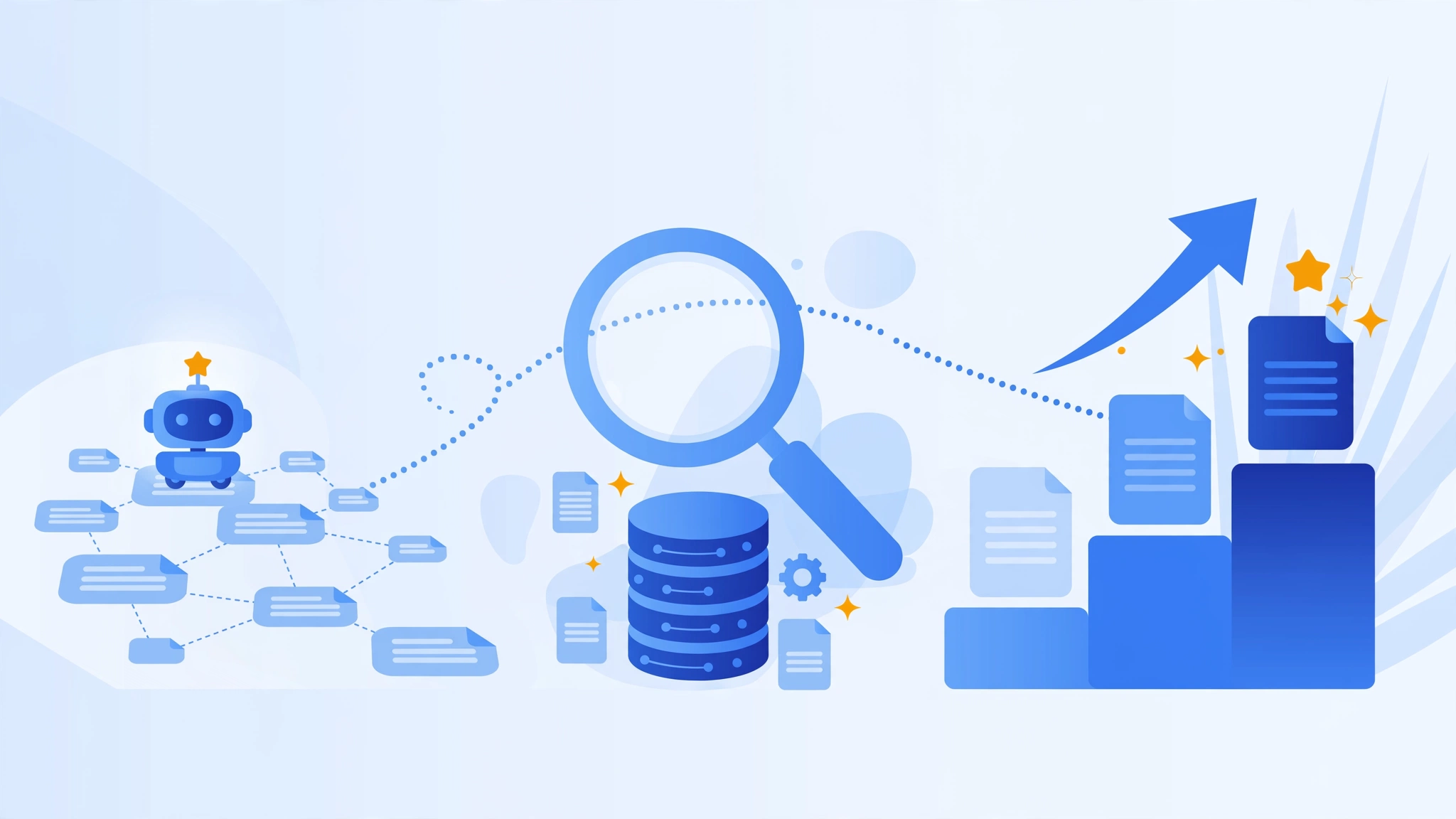
Have you ever wondered what happens after you type something into Google and press Enter? Let’s say you search for: “best laptop for students”. In less than a second, Google shows millions of results and somehow manages to place the pages it believes are most helpful at the top.
How does it do that? Does Google read every website every time someone searches? How does it discover new websites? Why do some websites appear on page one while others seem invisible? And where does SEO fit into all of this?
These questions are exactly what this search engine basics guide is here to answer.
Whether you’re a blogger, business owner, student, marketer, or simply curious about how search engines work, understanding the basics can make the internet feel a lot less mysterious.
The good news is that search engines are not magic. Behind every search result is a process. A website gets discovered. It gets analyzed. It gets stored. Then it gets ranked.
That process is called crawling, indexing, and ranking.
Once you understand these three stages, search engine basics and many SEO concepts suddenly start making sense.
Throughout this guide, we’ll break everything down into plain English. We’ll also introduce important SEO terms along the way so you become familiar with the language search professionals use without feeling like you’re reading a computer science textbook.
What Are Search Engines Basics?
Every Topic Imaginable
Recipes
News
Health information
Shopping websites
Educational content
Videos
Forums
Business websites
Their job is to:
- Discover web pages
- Organize information
- Understand content
- Deliver the best answers to users
Popular Search Engines
Today, several search engines operate around the world.
| Search Engine | Main Purpose | Founded |
|---|---|---|
| General web search | 1998 | |
| Bing | General web search | 2009 |
| Yahoo | Search and web portal | 1994 |
| DuckDuckGo | Privacy-focused search | 2008 |
| Baidu | Popular in China | 2000 |
| Yandex | Popular in Russia | 1997 |
| Perplexity | AI-powered answers | 2022 |
| ChatGPT Search | Conversational search | 2024 |
Google remains the dominant player, handling the vast majority of searches worldwide.
Because of that, when people talk about SEO, they’re usually talking about optimizing for Google.
However, many of the principles discussed in this guide apply to almost every search engine.
Why Search Engines Matter
Let’s be honest.
Need a plumber?
Search.
Need a recipe?
Search.
Need software?
Search.
Need answers for a school assignment?
Search.
Imagine two bakery shops in the same city.
One appears at the top when people search: “birthday cakes near me” and the other doesn’t.
Which business gets more customers? The answer is obvious. This is why website owners care so much about search visibility.
- Visitors
- Leads
- Customers
- Sales
- Brand awareness
- Without paying for ads. | That is the power of organic search traffic.
Types of Search Engines
Traditional Search Engines
Examples include:
- Bing
- Yahoo
When someone searches: “how to lose belly fat” these search engines display articles, videos, forums, and other content related to the topic.
Vertical Search Engines
For example:
- YouTube
- Amazon
You can think of these as specialized search engines. Instead of searching the entire web, they search within a specific category.
AI Search Engines
Search is changing.
Instead of showing only a list of links, AI-powered search engines often provide direct answers.
Examples include:
- ChatGPT Search
- Perplexity
- Google AI Overviews
- Gemini
- Microsoft Copilot
How Search Engines Work
Now we arrive at the most important part.
Every search engine follows three major stages:
Step 1: Crawling
Before Google can rank a page, it first has to know that the page exists. That discovery process is called crawling.
Google uses automated software called Googlebot.
Googlebot continuously travels across the internet.
Its job is simple: Find pages. Read pages. Follow links. Repeat.
Imagine a spider moving from web page to web page. That’s why crawlers are often called spiders.
- How Crawlers Discover Websites
- Internal Links
- XML Sitemaps
- External Links
- Manual Submission
What Crawlers Actually See
Humans see:
- Images
- Colors
- Buttons
- Layouts
Crawlers see something different. They mostly analyze:
- HTML code
- Text content
- Links
- Metadata
- Structured data
- What Can Prevent Crawling?
- Broken Links
- Poor Site Structure
- Robots.txt Restrictions
- Slow Websites
Step 2: Indexing
Finding a page isn’t enough. After crawling, search engines need to decide whether the page deserves a place in their database. This process is called indexing.
Think of Google’s index as a giant digital library. When Google indexes a page, it stores information about that page.
The index may include:
- Page title
- Headings
- Content
- Images
- Meta description
- Internal links
- External links
- Structured data
- Why Some Pages Don't Get Indexed
- Duplicate Content
- Noindex Tags
- Thin Content
- Technical Errors
Step 3: Ranking
Now comes the exciting part. Someone performs a search. Google must decide: Which pages should appear? And in what order? This process is called ranking.
Google analyzes hundreds of signals when ranking pages. Nobody outside Google knows the exact formula. However, years of research have revealed many factors that influence rankings.
- Relevant
- Helpful
- Trustworthy
- Up to date
- Easy to use
Crawling vs Indexing vs Ranking: What's the Difference?
One of the biggest mistakes beginners make is mixing up crawling, indexing, and ranking.
They sound similar. They’re connected. But they’re not the same thing. Think of a new book arriving at a library
- Crawling
- Indexing
- Ranking
| Search Engine | Main Purpose | Founded |
|---|---|---|
| General web search | 1998 | |
| Bing | General web search | 2009 |
| Yahoo | Search and web portal | 1994 |
| DuckDuckGo | Privacy-focused search | 2008 |
| Baidu | Popular in China | 2000 |
| Yandex | Popular in Russia | 1997 |
| Perplexity | AI-powered answers | 2022 |
| ChatGPT Search | Conversational search | 2024 |
Search Engine Algorithms Explained
Now for the part that sounds scary.
Algorithms. The word itself makes many people imagine complicated equations and computer scientists staring at giant screens.
The reality is simpler. A search algorithm is a set of rules used to decide which pages should appear for a search query.
Imagine asking ten different people: “What’s the best smartphone under $500?”
You’d probably get ten different answers. Google faces a similar challenge.
For every search, it must determine:
- Which pages are relevant?
- Which pages answer the question?
- Which pages seem trustworthy?
- Which pages offer a good experience?
Why Algorithms Exist
Without algorithms, search results would be chaos. People could rank pages simply by repeating keywords hundreds of times. Years ago, some websites did exactly that.
A page about shoes might contain:
shoes shoes shoes shoes shoes shoes shoes shoes
repeated hundreds of times.
Modern Algorithms Look Beyond Keywords
- Car repair
- Auto repair
- Vehicle repair
Someone searches: Apple
What do they mean?
- The fruit?
- The technology company?
Another example: Buy running shoes
The user wants products.
Someone searches: Apple
What do they mean?
Major Search Engine Ranking Factors
Nobody outside Google knows the exact ranking formula. Google has never published a checklist saying: Do these 37 things and you’ll rank number one.
But after years of testing, research, and observation, SEO professionals have identified factors that consistently influences rankings. Let’s look at the major ones.
1
Content Quality
Content remains one of the strongest ranking factors. Think about it from Google’s perspective.
If somebody searches: “how to bake chocolate cake” Google wants to show pages that genuinely help the searcher. Not pages filled with fluff. Not pages written only for search engines. Not pages that answer half the question.
The best content typically:
- Answers the question clearly
- Covers the topic thoroughly
- Uses examples
- Is easy to read
- Stays accurate
Good Content vs Weak Content
Article A
- 400 words
- Generic advice
- No examples
Article B
- Detailed explanation
- Step-by-step guidance
- Photos
- Common mistakes
- FAQs
2
Search Intent
Many websites fail because they answer the wrong question. For example, A user searches: “best laptops for students“, The searcher wants recommendations.
If your page only explains laptop history, it probably won’t rank well.
Why? Because it doesn’t satisfy the intent behind the search. Understanding intent is one of the most important parts of modern SEO.
Common Search Intent Types
Informational
- How do search engines work?
Navigational
- Facebook login
Commercial
- Best SEO tools
Transactional
- Buy iPhone 17
3
Backlinks
Backlinks are links from other websites pointing to your website.
Imagine you are new in town. Nobody knows you. Then five respected local business owners recommend you. People are more likely to trust you. Backlinks work similarly.
When quality websites link to your content, search engines view those links as trust signals.
Not All Backlinks Are Equal
4
Website Authority
Authority develops over time. Websites that consistently publish useful content and earn trusted backlinks often gain stronger visibility.
Think of authority like reputation. A respected professor and a random stranger may give the same answer. People naturally trust the professor more. Search engines evaluate websites in a similar way.
5
User Experience
- Slow loading pages
- Popups everywhere
- Tiny text
- Broken buttons
Core Web Vitals
Google introduced metrics called Core Web Vitals.
These measure:
Loading Speed
Interactivity
Visual Stability
6
Mobile Friendliness
Most searches now happen on mobile devices.
As a result, Google uses mobile-first indexing. This means Google primarily evaluates the mobile version of a website. A site that looks perfect on desktop but terrible on mobile can struggle in search results.
7
Content Freshness
Fresh content matters for many topics.
Imagine searching: “best smartphones 2026”, Would you prefer an article from 2019? Probably not. Google understands that some topics change frequently. Keeping content updated helps maintain relevance.
8
E-E-A-T
Google talks about something called E-E-A-T.
It stands for:
E
E
A
T
The idea is simple. Google wants information from sources that appear reliable. Let’s say you’re reading medical advice.
Would you trust:
- A licensed doctor
- A random anonymous website
What Is SEO?
- SEO stands for
S
E
O
Good SEO is not about tricking search engines. It's about helping them.
The Three Main Types of SEO
- 01
On-Page SEO
- Titles
- Headings
- Content
- Internal links
- Images
- Keywords
On-page SEO helps optimize your website’s content and structure to improve search visibility, rankings, and user experience.
- 02
Technical SEO
- XML sitemaps
- robots.txt
- Core Web Vitals
- structured data
- canonical tags
- page speed
Technical SEO helps search engines crawl and understand websites efficiently.
- 03
Off-Page SEO
- Backlinks
- Brand mentions
- Digital PR
- Citations
Off-page SEO helps build trust and authority.
How a New Website Gets Ranked
You publish your homepage. Google doesn't know your website exists.
Google discovers your website through a sitemap or link. Crawling begins.
Google processes your content. Some pages enter the index.
Google starts testing rankings for a few keywords. Most positions are low. This is normal.
More pages get indexed. Your content expands. You gain some backlinks. Rankings improve.
Authority grows. Traffic increases. Some pages begin appearing on page one.
This timeline varies from website to website, but it demonstrates how search visibility develops gradually rather than instantly.
Common Reasons Pages Don't Rank
One of the most frustrating experiences for website owners is publishing a page, waiting weeks, and seeing no traffic. The first reaction is usually:
“Google must hate my website.”
In reality, most ranking problems have identifiable causes.
Let’s look at some common ones.
The good news? Most of these problems can be fixed.
SEO often feels complicated because there are many moving parts, but once you break things down, each issue becomes manageable.
The Future of Search
Then
Now
Next
AI Search Engines
Examples include:
- ChatGPT Search
- Perplexity
- Gemini
- Microsoft Copilot
- Google AI Overviews
Instead of giving ten links, these systems often provide a summarized answer immediately.
For users, this can be incredibly convenient. For website owners, it introduces new challenges and opportunities.
AI Is Changing Search Behavior
- Traditionally
- Now
Zero-Click Searches
A zero-click search happens when a user gets an answer without visiting a website.
Examples include:
- Weather forecasts
- Sports scores
- Currency conversions
- Definitions
- Flight information
The user searches. The answer appears. No click is required.
These searches continue to increase. That doesn’t mean websites are becoming irrelevant. It simply means content creators must provide information that goes beyond basic facts.
Voice Search
- Smartphones
- Smart speakers
- Virtual assistants
Notice the difference???
Voice searches tend to be longer and more conversational. As a result, content that answers natural-language questions often performs well.
Visual Search
Sometimes people don’t want to type. They want to search using images.
Tools like:
- Google Lens
- Pinterest Lens
allow users to upload photos and search visually. Imagine seeing a chair you like. Instead of describing it, you take a photo. The search engine identifies similar products.
Visual search continues to grow, especially in ecommerce.
Personalized Search Results
Many beginners assume everyone sees identical search results. That’s not always true. Search engines personalize results using signals such as:
- Location
- Device
- Language
- Search history
- User preferences
- New York
- London
Search Engine Optimization in the AI Era
Stuffing keywords worked.
It doesn't.
Some current techniques will become outdated too.
The websites that perform best are usually those that focus on helping users rather than chasing shortcuts.
Search engines continue to reward pages that provide useful information and a positive experience. That principle has remained surprisingly consistent.
Search Engine Basics Glossary
If you’re new to SEO, you’ll encounter many unfamiliar terms.
Here’s a quick glossary to help.
- Algorithm: The system used by search engines to determine rankings.
- Alt Text: Text describing an image. Helps search engines understand image content.
- Anchor Text: Clickable text within a hyperlink.
- Backlink: A link from another website to your website.
- Bingbot: Microsoft Bing's web crawler.
- Canonical Tag: A signal indicating the preferred version of a page.
- Click-Through Rate (CTR): The percentage of people who click a search result.
- Crawl Budget: The amount of crawling resources allocated to a website.
- Crawling: The process of discovering pages.
- Googlebot: Google's automated crawler.
- Index: Google's database of discovered pages.
- Internal Link: A link connecting pages within the same website.
- Keyword: A word or phrase users search for.
- Meta Description: The short description often displayed in search results.
- Mobile-First Indexing: Google primarily evaluates the mobile version of a site.
- Noindex: An instruction preventing a page from appearing in search results.
- Organic Traffic: Visitors arriving through unpaid search results.
- Ranking: Determining the order of search results.
- Robots.txt: A file providing instructions for crawlers.
- Schema Markup: Structured data that helps search engines understand content.
- Search Intent: The reason behind a search query.
- SERP: Search Engine Results Page.
- Sitemap: A file listing important website URLs.
- Structured Data: Additional information helping search engines understand content.
- User Experience (UX): How users interact with a website.
Frequently Asked Questions About Search Engine Basics
What are search engine basics?
Search engine basics refer to the core processes that allow search engines to discover, understand, store, and rank web pages. The main stages are crawling, indexing, and ranking.
How do search engines work?
Search engines use automated crawlers to discover pages, store information in an index, and rank pages based on relevance, quality, authority, and user experience.
What is crawling?
What is indexing?
What is ranking?
What is Googlebot?
What is an XML sitemap?
An XML sitemap is a file that helps search engines find important pages on your website.
What is robots.txt?
Robots.txt is a file that tells search engine crawlers which parts of a website they can access.
What is SEO?
Why is SEO important?
How long does it take for Google to index a page?
Can a page rank without backlinks?
Yes. However, backlinks often help pages rank more competitively, especially for difficult keywords.
What are ranking factors?
What is search intent?
What is a SERP?
What are Core Web Vitals?
What is mobile-first indexing?
What is structured data?
Are AI search engines replacing traditional search?
Is SEO still worth learning in 2026?
Understanding Search Engine Basics Starts Here
Every website that appears in search results goes through the same journey. First, it gets discovered through crawling. Then it gets stored through indexing. Finally, it competes for visibility through ranking.
Once you understand those three stages, search engines stop feeling mysterious. You’ll begin to understand why some pages rank well, why others struggle, and why SEO exists in the first place.
Whether you’re building a blog, launching an online store, managing a business website, or simply trying to learn how Google works, these fundamentals provide the foundation.
Search engines will continue to evolve.
Algorithms will change. AI will influence how information is discovered. New technologies will appear.
But one thing is unlikely to change anytime soon: Search engines want to connect people with the information they’re looking for. Websites that do that well will always have a place in search.